partnering with ease
The Partner Marketing Hub (PMH) is the go-to destination for our distribution partners to discover and bring co-marketing opportunities with Google to life. The PMH has grown tremendously since launching in 2018 to unify Google’s partner marketing efforts – and continues to expand.
The site launched in 2018 with a total of 14 brands. As of today, it hosts 41 brands and 31 marketing opportunities (and counting). There are nearly 8,000 pages on the site, managed by 29 content authors.


client
Google
year
2023
my contribution
lead ux manager
product strategy & research
prototyping
product design
user testing
systems thinking
the team
project managers x1
program managers x1
product designers x3
engineers x4
the problem
Partners want more visibility into the status of the assets they’ve submitted for brand review and approval.
Once an asset is submitted to Partner Marketing Hub, there is nothing else they can do or see in Partner Marketing Hub. Their only communication touch points beyond that is via email with their Partner Brand Manager. Partners also do not have historical submission knowledge other than email threads with reference numbers.
The PMH has grown from 14 brands to 45 brands since 2018 – a 221% increase in content.
221%
There are 7,800 pages on the Partner Marketing Hub - managed by multiple content authors.
7,800
the opportunity
Create a simple experience on PMH where partners can track the current status of all of the assets they’ve submitted for Google brand review and approval.
Create an asset submission repository interface on PMH for Googlers to reference and for brand managers to update and provide insights on current and historical asset reviews. This will be where the partner tracker pulls data from.
meet the users
For partner brands to receive permission to use Googles branding, there are two primary users we have focused on. First there is the “Partner”, who submits the co-marketing materials to Google for approval. The other user is the “Google Brand Manager” who will give feedback and make sure the work is on the right track.

-
PBMPartner Brand Management is responsible for how Google shows up in their partner integration campaigns globally.
As Google brand experts, PBM’s ensure standards are upheld in all partner co-marketing campaigns.

-
Design DirectorPartners will submit assets for Google brand manager review through the Partner Marketing Hub. Positions vary from Brand Executive to Design Directors.
discovery process
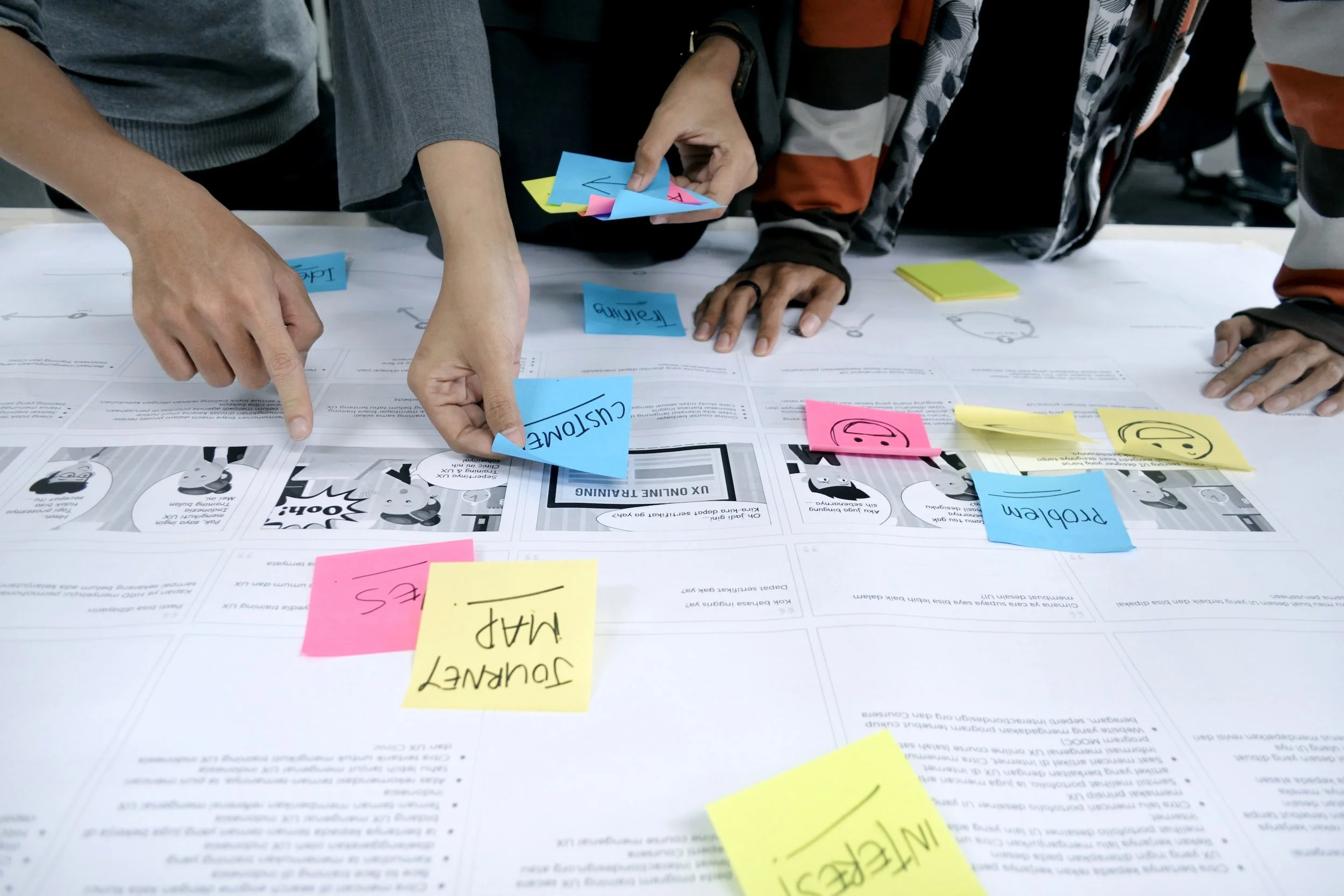
We conducted 1:1 interviews, group interviews, and emailed surveys with Google Brand Managers, Google Partners to understand the broader scope. I worked with our Senior UX Designer on creating clear interview and survey questioning that matched our goals.
The feedback offered so many directions we could take. Our strategic approach was to identify the core MVP, and how the additional tools could seamlessly build on top of that. We reached a consensus on that MVP through conversations with our PMs and Engineering leads.
architecture
We jumped into creating user stories from our testing feedback. I worked 1:1 with our Product Manager reviewed with our Google Brand Manager contacts.
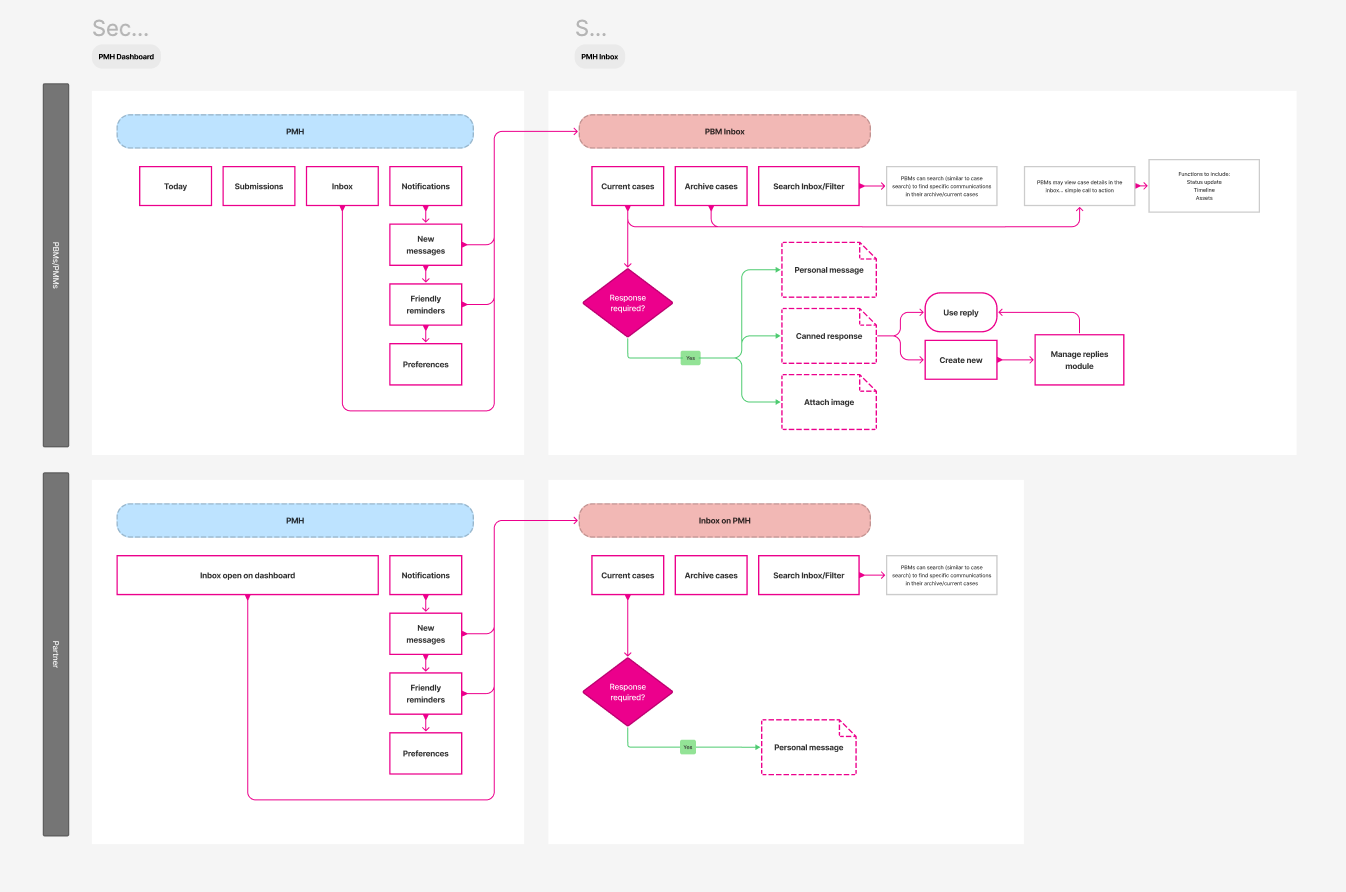
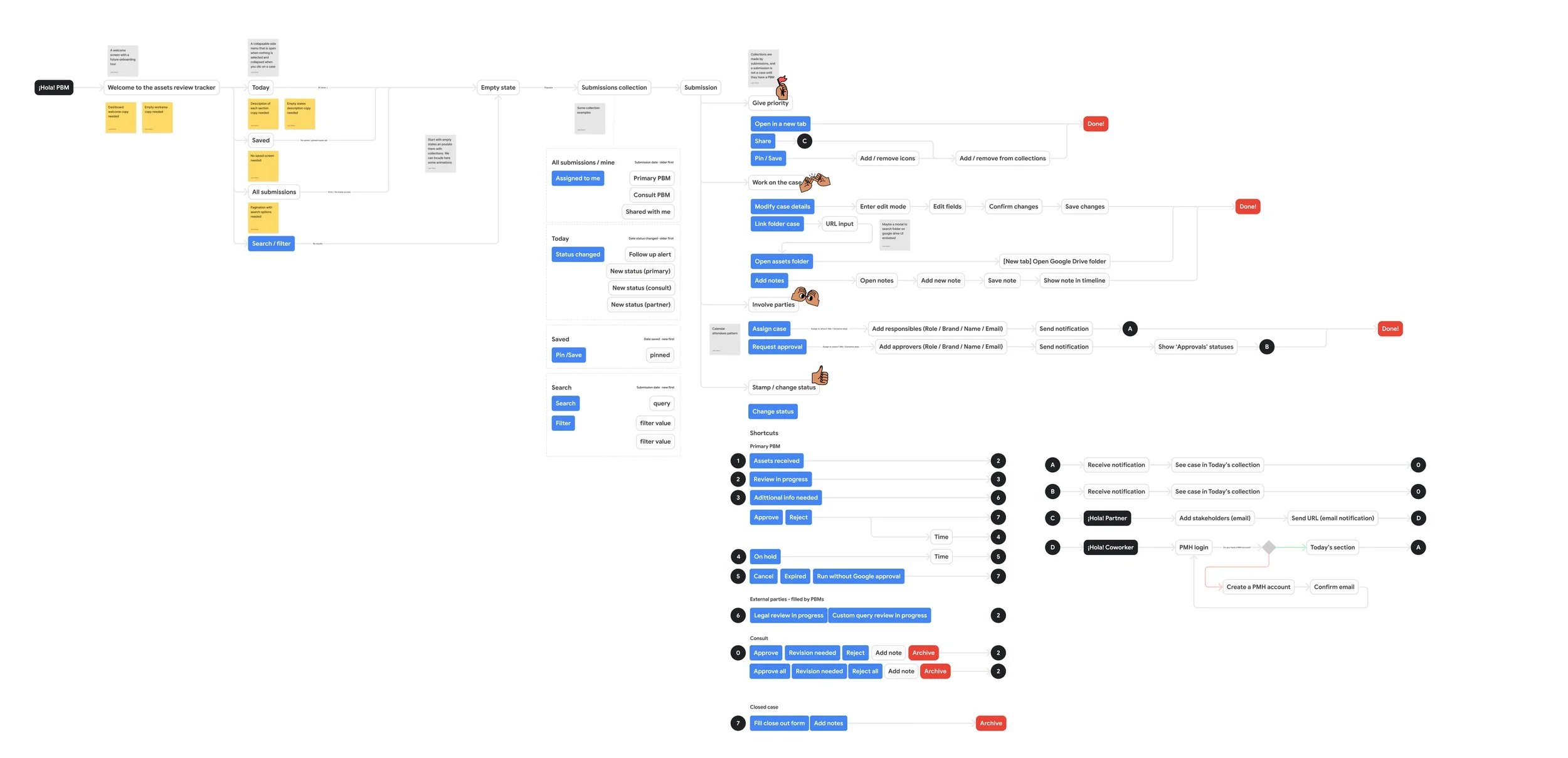
These helped us create a physical checklist of what needs to be included in our next step, user flows. This was super critical to formulate what pages communicated with each other, and their level of hierarchy. The Sr UXD and I brainstormed together how the flow might be most effective and shared it with our team for approval.
Our last phase was to do some competitive analysis and research some beacons to point our design towards. This involved researching Googles best practices as well as seeing where we can push the envelope a bit further to reach their needs.
wireframes
It became clear both users were craving a dashboard experience, enabling tracking of assets and fueling conversations easily. We spent a week purely downloading all the content that was necessary to include in the experience and developed a flow of the MVP.
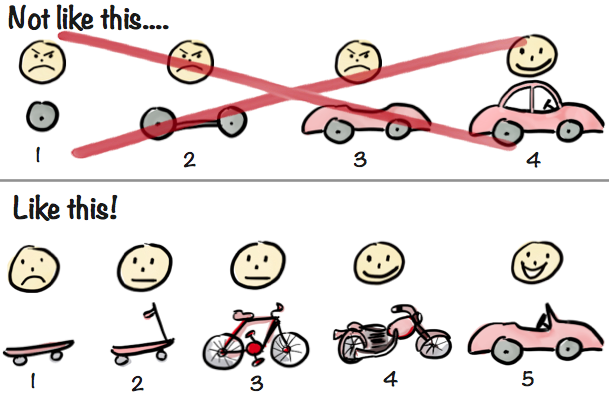
These initial wireframes would leave room for the planned future iterations. Our approach to those next tools would follow the agile “scooter to car” process.
design exploration
We took a 2 weeks to focus entirely on how to visually use color and hierarchy to improve and personalize the experience for each user. There was a lot of exciting, daily exploration for each designer on the team as we sought to have this tool greatly improve each users process.
We tested designs with our client and key user’s to help us narrow in even more on the MVP. These visual perspectives on how far we could take the tool helped us manage even more pain points that we took into finalizing the dashboard.
testing insights
After our design explorations and user interviews we learned a lot more about the hierarchy of the page:
Users need to see what to accomplish that day right away (easy view of updates on active cases)
Easy visual understandings of where submitted assets are in the process
Search capabilities to refer back to historically
mvp launch
A unique experience on the Partner Marketing Hub that provides partners more visibility into their asset submission’s review process and Partner Brand Managers a place to conduct asset review flows.
Here’s a quick video of the live experience for the Partner Brand Manager.
other examples
next improvements to the platform
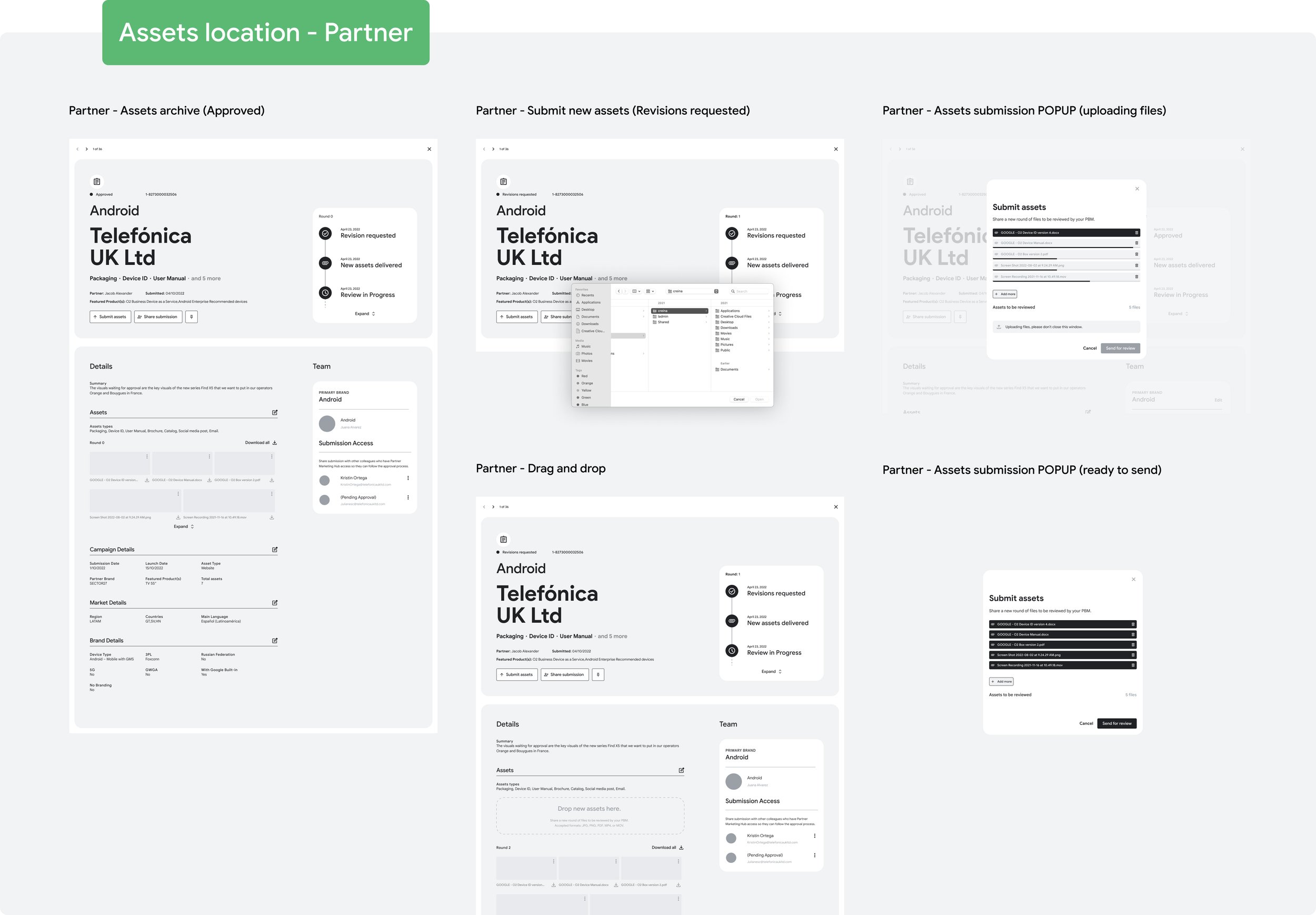
asset archive
Partners and Brand Managers will now be able to track the assets within their cases. Individual assets can be approved while others are in transitionmessaging
Internal messaging between Partners and Brand Managers for quick and easy communication regarding feedbackasset markup tool
Giving PBMs the ability to edit and markup individual assets for clear feedback. Ensuring they can complete all their tasks within the Partner Marketing Hub